


 0
0


 0
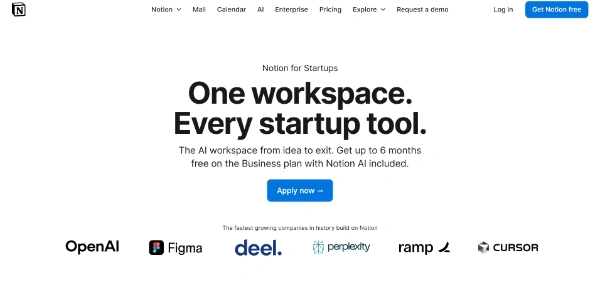
0 Notion for Startups: The smart workspace to accelerate your business Notion for Startups , also known as Notion Business, is an all-in-one platform built for startups looking to organize their business efficiently. In fact, it is a complete toolkit and AI tools that let you centralize teamwork, documentation, and project management. In short, Notion has created a specific program to support business owners, from start-up to expansion of their project. ➥ What is Notion for Startups? Notion is essentially a productivity system. It combines features for note-taking, task tracking, and database creation. The Notion for Startups program is a version designed for young companies . This program gives them access to professional resources. Thanks to this tool, teams can gather their information and organize their daily activities more efficiently. A full support program More than just a service, Notion for Startups provides real support. For example, it includes free credits to use its Business package. Additionally, templates specifically designed for entrepreneurs are available. They cover a variety of topics such as business planning, content management, and sales tracking. These ready-to-use tools simplify the process of setting up solid organizations right from the start of your venture. ➥ How does Notion for Startups work? Notion works with content “blocks.” You can assemble them however you like to build customized pages and databases. This way, it’s easy to organize your workspace according to your organization’s specific workflows. Setting up your own custom processes for each department is easy with this adaptable framework. (Pro tip: take the time to structure your blocks well at the beginning to save time later). Simplified usage steps Getting started with Notion is simple. After creating an account, you access your workspace where you can build pages, databases, and add templates. From there, you can set up clear workflows and create dashboards tailored to each member of your team. Business Tools for every activity From creating product plans and tracking customer feedback to monitoring goals and pooling knowledge, this digital environment scales to meet your needs. Plus, it even has AI features that can help speed up certain tasks, like writing content, analyzing data, and preparing reports. This means team members can use their time more wisely and focus their energy on what really matters. Collaboration at the heart of the system This service simplifies group work, with tools for live editing, adding comments, and mentioning colleagues. So everyone can work together on documents, projects, and wikis. It also ensures a good working relationship and reduces the need to switch between different software programs, centralizing important information . Try Notion for Startups Learn how Notion helped Cursor grow A story that could be yours with Notion for Startups ➥ Pros and Cons Advantages: High flexibility: The tool can be fully tailored to your company’s specific requirements. Tool consolidation: Notes, tasks, databases, wikis, and calendars are all accessible in one place. This reduces the need for multiple apps. Simplified collaboration: Real-time editing and comments encourage smooth teamwork. Knowledge management: A great place to build internal knowledge bases and onboarding guides. (Keep in mind: a solid knowledge base saves huge amounts of time). Cost-effective: A free version is available, with discounts for startups. AI integration: Artificial intelligence features help automate and streamline everyday tasks. Drawbacks: Limited offline access: Most functions require an active internet connection. Learning curve: While the basics are simple, mastering advanced functions such as complex databases can take time. Data export: Extracting large volumes of data can sometimes be complex (though easier now with AI). ➥ Save money easily If your team continues to use different AI tools for each task, here’s how much you’ll pay per month per user: AI Search: ~$35 per member AI Chatbot: ~$20 per member AI Meeting Notes: ~$18 per member AI Writing Assistant: ~$20 per member AI Email App: ~$30 per member Advanced AI Search: ~$40 per member Calendar Scheduling: ~$15 per member Team Wiki: ~$10 per member Project Management Tool: ~$24 per member Basic CRM: ~$20 per member Website Builder: ~$20 per member Forms: ~$15 per member Total to pay: $267 per user per month ! As you can see, this becomes very expensive very quickly ! Replacing several of these tools with a single integrated platform could therefore lead to significant savings, especially for a whole team. This is where the Notion for Startups solution comes into its own, with its centralized and secure offering. Try Notion for Startups ➥ What’s the price of Notion for Startups? Notion is available under various pricing plans, with a dedicated offer for startups. The Notion for Startups program typically provides up to six months free on the Business plan, including artificial intelligence. This deal represents significant savings, potentially up to $12,000 for a group of 100 people. Here is an overview of standard rates, excluding special offers: Personal Plan (Free): Designed for individual use, it includes unlimited pages and blocks. Plus Plan (about $10 per member per month, billed annually): Includes unlimited blocks, unlimited file uploads, and extended page history. Business Plan (about $20 per member per month, billed annually): Adds full access to AI features, private team workspaces, and single sign-on options. Enterprise Plan (custom pricing): Built for large organizations requiring advanced security, audit, and administration. The requirements for participating in this special program for young companies usually include being a new customer, having fewer than 100 employees, and being affiliated with a Notion partner. ➥ Who is Notion for Startups for? Screenshot from the official Notion.com website Notion for Startups can help you manage your operations with a scalable infrastructure. It’s designed to work with a variety of roles within a new business. Founders and leadership teams: To define strategy, track objectives, and oversee all operations. Product teams: To create roadmaps, manage customer feedback, and coordinate development. Marketing teams: To prepare campaigns, organize the editorial calendar, and track results. Sales teams and CRM: To manage contacts, opportunities, and sales processes. Human resources: For onboarding new hires and documenting internal processes. Freelancers and small businesses: Those seeking a practical way to organize their tasks and projects also benefit from this tool. This multi-tasking system is suitable for organizations of all sizes that value a customizable and collaborative work environment. Try Notion for Startups ➥ Les alternatives à Notion for Startups In addition to Notion, a number of similar services offer features for project management and collaboration. The choice will depend on what is specific to your startup and the priorities of your group. Name Key Points Best For ClickUp Comprehensive project management, extensive automations. Teams looking for highly detailed project management and complex automations. Airtable Strong databases, advanced spreadsheet features. Organizations that require structured data management and extended relational capabilities. Trello Kanban boards for visual and easy task tracking. Teams favoring a simple visual approach to task tracking. Asana Task and project tracking, structured workflows. Businesses focused on planning and executing projects with clear deadlines. Monday.com Customizable boards, workflow management, broad integrations. Companies seeking varied visualizations and highly adaptable workflows. ➥ Reviews of Notion for Startups Overall, reviews of Notion for Startups are largely positive. Indeed, they highlight its usefulness for companies that are just starting out. In particular, many people appreciate its ability to organize and streamline operations. The centralized dashboard for managing projects, tasks, and meetings is often highlighted. And what do entrepreneurs think? Because of its adaptability, customization, and multi-functional capabilities, it’s a very popular tool. Many skilled entrepreneurs agree that the program helps manage the chaos that can occur when starting a new business and keeps operations running smoothly. ➥ FAQ Is Notion free for startups? + The Notion for Startups program grants up to 6 months free on the Business plan (valued at $12,000) for eligible startups affiliated with partners, and 3 months free for non-affiliated startups. This includes access to Notion AI. A free plan is also available for individual use. What are the eligibility requirements for Notion for Startups? + To qualify, you must be a non-paying Notion customer, have a valid business email address (not Gmail/Outlook), employ fewer than 100 people, and not have received a Notion promotion in the past. Why should a startup use Notion? + Notion is a practical and cost-effective solution that combines all startup functions on a single platform. Teams can manage tasks, projects, content, and collaboration while building a knowledge base and even a website. This helps reduce expenses and streamline operations. Is Notion suitable for small businesses? + Absolutely. Its adaptability makes it suitable for freelancers as well as small businesses. It helps them stay organized effectively. Can other applications be integrated with Notion? + Yes, this workspace can connect with a wide range of external services. Examples include Slack, Google Drive, Figma, GitHub, and Jira, which extend its capabilities and centralize your tools. Is data secure on Notion? + Notion provides options to manage permissions and control access to safeguard sensitive information. Higher-tier plans, such as the Enterprise plan, include enhanced security features with SOC 2, SAML, and single sign-on (SSO). Develop your projects faster with Notion Business tools


